
Understanding the disadvantages of a magnetic switch keyboard can prevent a costly mismatch between technology and actual need, and reading them before purchase is worthwhile. This article covers the key drawbacks: linear-only feel, compatibility constraints, software reliance, calibration demands and higher cost, drawing directly on the Krome Keyboards range to show where magnetic switch technology excels and where conventional mechanical options remain the stronger choice.
How a magnetic switch keyboard differs
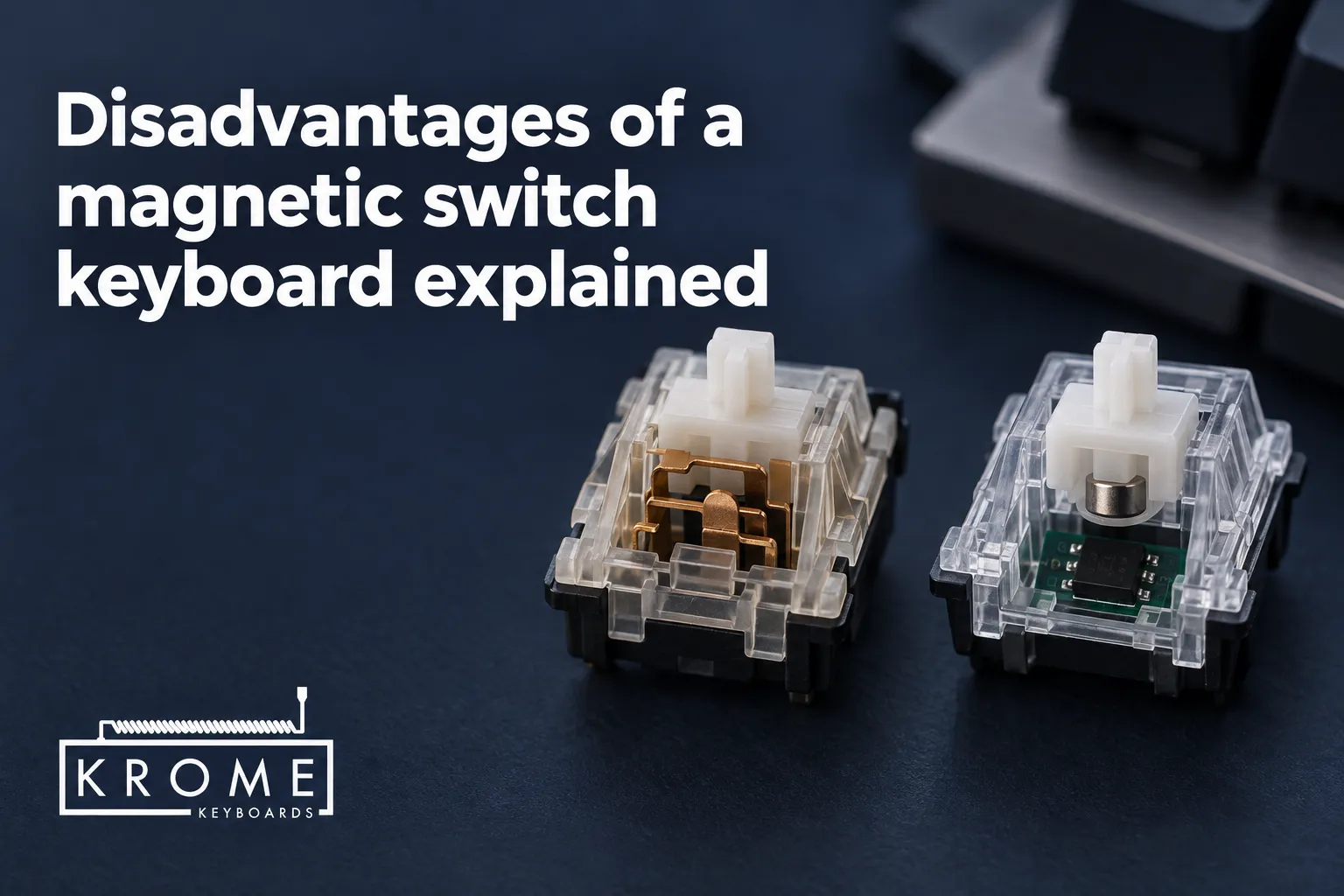
A magnetic switch keyboard reads each keypress through a hall-effect sensor embedded in the PCB, detecting changes in magnet position rather than relying on physical electrical contact. This contactless design enables configurable actuation behaviour on compatible boards, including adjustable actuation points, Rapid Trigger and depth-based input. Those capabilities have a clear practical purpose for competitive gaming. The drawbacks of magnetic keyboard switches include compatibility constraints and manufacturer-locked firmware, both of which appear in Krome Keyboards' mechanical alternatives as well.
What magnetic sensing changes
The core operational difference is that a Hall Effect board must interpret a continuous analogue signal from each sensor, whereas a standard mechanical keyboard reads a simple binary on/off contact event. That shift in signal type demands a dedicated controller and specialised firmware, neither of which can be retrofitted into an existing mechanical board. Among the disadvantages of hall-effect keyboards, this infrastructure requirement is one of the most consequential because it locks the buyer into a specific hardware and software ecosystem from the outset. The magnetic switch compatibility guide explains which standard mechanical keyboards can accept magnetic switches, and the list is short.
- Analogue signal processing Each Hall Effect sensor streams real-time magnetic field data to a specialised controller; a standard mechanical keyboard controller cannot read or process this signal type.
- Dedicated firmware required Magnetic switch technology depends on firmware built to interpret analogue field changes; open or community firmware designed for mechanical keyboards is incompatible with this approach.
- No retrofit path Because Hall sensors must be physically integrated into the PCB at each switch position, an existing mechanical keyboard cannot be converted to magnetic operation regardless of its hot-swap capability.
From there, the practical consequences extend to switch selection, calibration and long-term maintenance, each area where the mechanical keyboard market offers considerably more flexibility. Hall-effect switches bring genuine performance advantages in the right context, but the surrounding infrastructure creates constraints that buyers accustomed to the mechanical ecosystem may not anticipate. The drawbacks of magnetic switches include a hollow, plasticky sound profile and fewer case dampening options than mechanical builds.
When mechanical keyboards make more sense
Mechanical keyboards span linear, tactile and clicky switch types across dozens of brands, spring weights and housing designs. Magnetic keyboards offer none of that breadth. For a buyer whose priority is typing feel or sensory feedback, a mechanical keyboard addresses those needs directly and at lower cost.
Once that's settled, the comparison also favours mechanical options for users who value open firmware, broad hot-swap compatibility and a well-established repair ecosystem. Magnetic keyboards require matching PCB sensors, correct magnet polarity and manufacturer software, constraints that do not exist in the same form for mechanical builds. The table below summarises the key differences across the most relevant purchasing criteria.
| Criterion | Magnetic switch keyboard | Mechanical keyboard |
| Switch feel options | Linear only | Linear, tactile, clicky |
| Actuation type | Adjustable analogue (on compatible boards) | Fixed hardware-defined |
| Firmware | Manufacturer-specific, closed | Often open or community-supported |
| Hot-swap compatibility | Restricted by polarity and PCB model | Broad cross-brand compatibility |
| Entry cost | Higher due to specialised electronics | Wide range, lower entry point |
| Repair parts | Limited, specialist sourcing | Widely available |
Magnetic switch feel and typing feedback
The typing feel delivered by magnetic keyboards is smooth and consistent, but its uniformity may not suit every user. Because magnetic switches operate without physical electrical contact, the keypress has no inherent bump or click built into its mechanism. That smoothness is deliberate: some users find it refined, while others find it underdefined.
Why magnetic switches feel linear
Among the disadvantages of a hall effect keyboard that most affect day-to-day use, the absence of tactile or clicky feedback is the most immediate. Unlike mechanical switches, which offer a physical bump or audible signal at the actuation point, every magnetic switch travels smoothly from top to bottom without a deliberate resistance event. The stem moves through a magnetic field rather than over a contact leaf or tactile leg, so the only sensation is progressive spring resistance and the eventual bottom-out. For users already comfortable with linear mechanical switches, this feels broadly familiar. By contrast, anyone accustomed to tactile or clicky switches will need to adjust deliberately.
The mechanical switch ecosystem spans spring weights, stem geometries and housing materials; some Krome Keyboards mechanical models, for example, offer a choice of switch weights that allow precise tuning of the linear feel, from light and fast to heavier and more deliberate. Magnetic keyboards offer far less variety in this regard; the physical feel of the switch is largely determined by the spring and magnet combination within that manufacturer's design. As a result, buyers who want to fine-tune their typing feel through switch selection will find mechanical options considerably more accommodating at this stage of the magnetic market's development.
Typing without tactile confirmation
Whether magnetic switches are good for typing depends directly on whether the user relies on physical or audible confirmation to judge actuation. Typists who use a tactile bump to regulate cadence and minimise errors will find that magnetic keyboards provide no equivalent signal. The keypress registers silently and smoothly, which can initially cause over- or under-travel until the fingers adapt to the new response pattern.
- No click Magnetic switches produce no audible actuation signal, removing the audio cue that many typists use as pacing feedback during extended sessions.
- No tactile bump The absence of a physical resistance event at the actuation point means fingers receive no confirmation of registration beyond the key reaching bottom.
- Adaptation required Users moving from tactile or clicky mechanical switches typically need an acclimatisation period before typing accuracy stabilises on a magnetic keyboard.
From a practical standpoint, magnetic keyboards are better suited to users who already prefer linear switches and are comfortable judging actuation by travel distance alone. For extended typing work, document drafting, coding or writing, a well-chosen tactile mechanical switch can provide rhythm and accuracy cues that no current magnetic option replicates.
Quiet operation has trade-offs
Magnetic switches can be quieter than many mechanical alternatives because the contactless design eliminates the metal-on-metal click produced by clicky mechanical switches. However, the overall sound of any keyboard depends heavily on construction factors, PCB mounting, case material, foam dampening and keycap profile, rather than on the switch mechanism alone. A magnetic switch keyboard built into a resonant case can still produce significant noise at bottom-out, while a well-dampened mechanical board can be nearly silent.
The quieter operation of magnetic switches is therefore not a reliable substitute for the tactile or clicky feedback they lack. Reduced noise and reduced physical feedback are separate qualities, and conflating them leads to disappointment. A user who chooses a magnetic keyboard primarily for its quietness may still find the typing experience unsatisfying if tactile confirmation was an unrecognised priority.
In practice, the sound advantage of magnetic switches is most relevant in shared environments where audible clicks would be disruptive, as with the quiet operation observed on Krome Keyboards' magnetic models. Even then, silent or tactile mechanical switches, options widely available in the mechanical market, can deliver comparably low noise levels without sacrificing the physical feedback that many typists depend on. Buyers should weigh both dimensions independently rather than treating quietness as a proxy for overall typing satisfaction.
Actuation controls and gaming limitations
Adjustable actuation and Rapid Trigger are the primary reasons competitive players consider magnetic keyboards. These features allow the keyboard to register keypresses at a configurable depth and reset the key for re-actuation before it fully returns to its resting position. That responsiveness can provide a genuine edge in fast-paced titles where split-second re-registration matters. Magnetic keyboards do offer real benefits in gaming, but they depend on specific hardware and software conditions that introduce their own limitations.
Software unlocks the main features
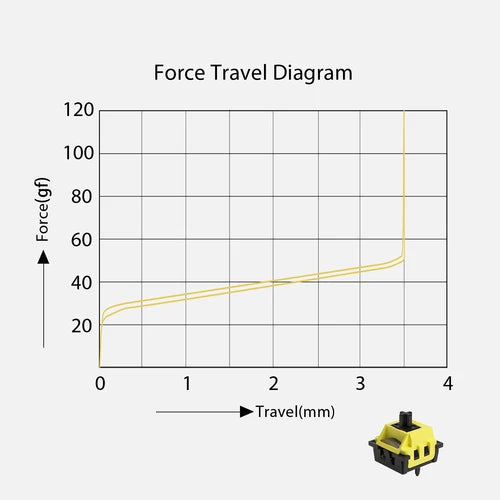
Among the disadvantages that come with a magnetic switch in gaming, software dependency is one of the most overlooked. Hall Effect keyboards require the manufacturer's software or web configurator to access adjustable actuation, Rapid Trigger sensitivity and per-key settings. Without compatible software running on the user's operating system, these features remain inaccessible and the keyboard behaves as a basic linear input device.
Rapid Trigger has hardware limits
The question of whether magnetic switches are good for gaming also hinges on the board's IC hardware and sampling rate, not on the switch alone. Rapid Trigger resolution is constrained by the keyboard's controller hardware; a switch marketed with finer sensitivity cannot exceed the physical limit of the board it is installed in.
By contrast, many mechanical keyboards support open or community firmware, which broadens physical modding options and ensures long-term configurability regardless of the original manufacturer's commercial decisions. For players who want consistent, immediate keypresses without software setup, a well-specified mechanical switch can deliver that experience out of the box.
Are magnetic switches worth it for gaming
For competitive players who specifically need adjustable actuation depth and Rapid Trigger re-registration, a verified Hall Effect keyboard such as the Akko MOD68 HE offers genuine performance advantages. The hardware investment is justified when these features address a real need in the games being played. That advantage is most evident in titles that reward rapid directional changes or precise input timing, scenarios where the difference between registration depths is measurable in outcomes.
For casual or non-competitive gaming, however, the additional cost and setup complexity are harder to justify. A mechanical keyboard delivers consistent, fixed-actuation keypresses with no configuration required, across a broader range of layouts and switch feels. Unlike traditional mechanical switches, magnetic alternatives demand verified hardware, matched firmware and software configuration before their headline features become usable, a barrier that casual players may find disproportionate to the benefit they would actually experience.
Magnetic switch compatibility problems
Compatibility is one of the most significant practical problems facing magnetic keyboard buyers, and it operates at several levels. The switch must match the PCB's sensor type, the magnet's polarity orientation, the sensor calibration range and the manufacturer's approved switch list for that specific board model. If any one of these conditions fails, even when the switch fits correctly in a physical sense, registration may be incorrect or absent. This list of conditions narrows the options available to a buyer at the outset.
Why standard keyboards cannot be upgraded
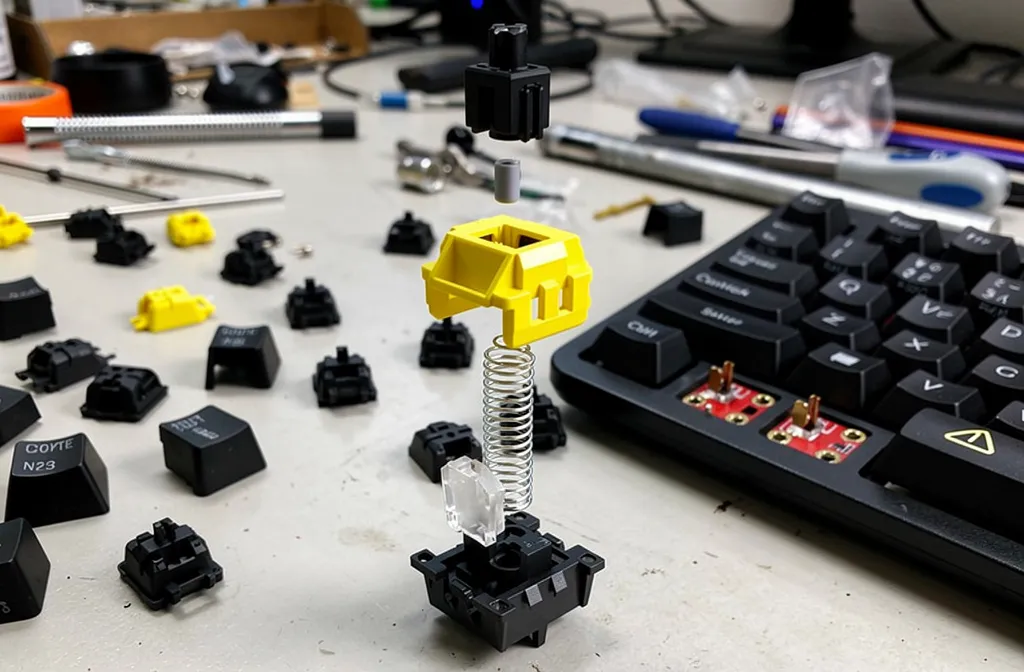
Magnetic switch compatibility begins at the PCB level: Hall sensors must be physically integrated into the board at every key position, and a conventional mechanical keyboard has none. The board also requires a controller capable of reading continuous analogue signals and dedicated firmware to interpret real-time magnetic field changes, both absent from standard mechanical keyboards by design. As a result, no existing mechanical keyboard can be upgraded to magnetic switch operation, regardless of its hot-swap capability or build quality.
Even within the Hall Effect market, compatibility does not transfer automatically across boards. Switches verified for use with one PCB model may be entirely incompatible with another from the same manufacturer. For example, switches labelled compatible with the MOD68 HE are not compatible with the GK68 HE, despite both being Hall Effect keyboards. Each board maintains its own approved list, so buyers must check that list against the specific PCB model before purchasing replacement switches.
Polarity and calibration must match
Beyond the PCB and firmware requirements, magnet polarity is a critical variable that cannot be resolved through physical fitting alone. A switch with an N-pole-down magnet installed in a board calibrated for S-pole-down operation will not register correctly, even if the switch legs seat perfectly in the sockets. Knowing how to tell if a magnetic switch is bad therefore requires the elimination of polarity mismatch and sensor calibration issues before concluding that the switch itself has failed; the manufacturer's calibration tools and approved compatibility lists can help with this important diagnostic question.
- Polarity mismatch The Akko AstroAim uses a downward-facing N-pole magnet and is incompatible with S-pole boards such as the MOD007B HE and YOTD v1, despite matching physical dimensions.
- Calibration range Magnet strength must fall within the keyboard sensor's calibrated range; switches with substantially different magnetic characteristics produce inaccurate readings even when polarity is correct.
- Board-specific lists Compatibility does not transfer across Hall Effect models: a switch listed for the MOD68 HE does not automatically work with the GK68 HE and must be verified separately.
Two-pin switch legs add a further layer: compatible sockets must be present on the PCB for hot-swapping; if absent, pins may need trimming. Trimming resolves the mechanical fit but cannot address electrical or sensor incompatibility, so this step cannot substitute for the specific compatibility verification already described.
Magnetic switch keyboards require compatibility verification at every level of installation, and the pool of verified compatible switches is narrower even among boards marketed as hot-swappable. The narrower pool of verified compatible switches, even among boards marketed as hot-swappable, limits the switch experimentation available to Hall Effect keyboard owners. For enthusiasts who value iterative switch testing, this restriction is a meaningful practical constraint that the mechanical market does not impose to the same degree.
Diagnosing a magnetic switch fault
When a magnetic switch appears unresponsive or registers inconsistently, the fault may lie not in the switch itself but in the surrounding system. The first step is to confirm that the switch matches the board's approved compatibility list and that magnet polarity is correctly oriented for that specific PCB. A switch that passes both checks should then be tested after running the manufacturer's calibration tool, since sensor drift caused by temperature change or shipping conditions can produce readings that mimic switch failure.
If calibration does not resolve the issue, the next consideration is magnet strength relative to the sensor's calibrated range. A switch with a substantially different magnetic characteristic from the board's expected specification will produce incorrect readings regardless of polarity. This is distinct from a physical contact fault, which would be the typical diagnostic path for a mechanical switch, and it requires access to the manufacturer's diagnostic software rather than simple swap testing.
Repair expertise for magnetic keyboards remains less widely available than for conventional mechanical keyboards, so accurate initial diagnosis is particularly valuable. If a fault is correctly identified as originating in the switch, the PCB sensor, the calibration state or the firmware, the risk of unnecessary parts replacement falls and resolution time shortens. Keeping the manufacturer's approved switch list and calibration guide accessible from the point of purchase is a reliable choice for owners who want to maintain their board effectively over time.
Cost, repairs and magnetic keyboard availability
The financial case for a magnetic keyboard extends beyond its initial purchase price. Higher hardware costs, periodic calibration, restricted parts availability and a narrower repair ecosystem all contribute to ownership costs. For buyers comparing the Krome Keyboards range, considering these factors alongside the headline price difference helps clarify whether the premium suits their use case.
Why magnetic keyboards cost more
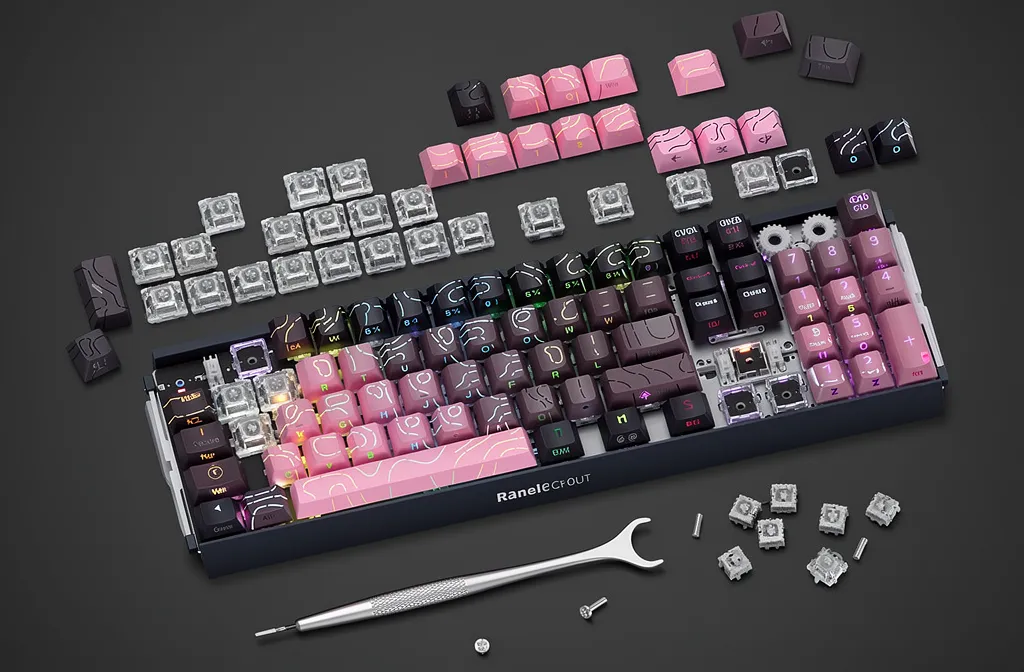
Weighing the advantages against the disadvantages of a magnetic switch and its price shows that the higher cost is structural rather than a margin decision. Magnets, Hall-effect sensors and the specialised electronics required to process analogue field data add to the hardware cost in ways that standard mechanical components do not. Those costs apply to every unit regardless of build tier, which is why even entry-level magnetic keyboards carry a premium over comparable mechanical alternatives.
The Akko MOD68 HE illustrates this clearly: it is positioned as a premium magnetic keyboard and costs more than traditional mechanical options such as the Krome 65% mechanical keyboard. For buyers on a tighter budget, mechanical keyboards offer substantially lower entry prices while retaining broad switch choice, layout flexibility and a well-established accessory ecosystem.
- Sensor hardware Every key position requires a Hall-effect sensor integrated into the PCB, adding component cost that scales with the keyboard's key count.
- Specialised controller Reading continuous analogue signals requires a more capable controller than the binary on/off detection used in standard mechanical keyboard electronics.
- Firmware development Manufacturer-specific firmware capable of interpreting real-time magnetic data represents a development and maintenance cost built into the product price.
- Lower production volume Fewer manufacturers currently produce Hall-effect keyboards, so the economies of scale available to the mass mechanical keyboard market do not yet apply equally to magnetic designs.
Budget buyers will consistently find that mechanical keyboards offer a stronger value proposition for general use. The magnetic premium earns its keep only where specific input features, adjustable actuation depth, Rapid Trigger and per-key sensitivity translate into a direct improvement in gaming performance or workflow. For every other use case, the cost difference funds capabilities that will go largely unused.
Calibration and long-term ownership
Hall-effect sensors are sensitive to temperature variation, so a magnetic keyboard may require periodic recalibration using the manufacturer's calibration tools, particularly after shipping or after being moved between environments with significantly different ambient conditions. It does, however, add a maintenance step that mechanical keyboards do not require: a mechanical switch works at its specified actuation point regardless of temperature change, with no software intervention needed.
The question of magnetic keyboard repair raises a further long-term consideration. Because Hall-effect keyboards remain less widespread than conventional mechanical keyboards, specialist repair services and replacement components are harder to source. Longer wait times and potentially higher repair costs reflect the limited availability of parts and technicians with relevant experience.
Parts are harder to replace
Switches work differently in the magnetic context when it comes to replacement: even on boards marketed as hot-swappable, magnetic replacements must follow the manufacturer's approved compatibility list for that specific PCB model. Electrical and sensor compatibility must also be confirmed, and trimming pins to fit unsupported sockets does not resolve underlying incompatibility in magnet polarity or strength.
- Approved lists required Each Hall-effect keyboard PCB model maintains its own compatibility list; switches verified for one board do not automatically qualify for installation in another model from the same manufacturer.
- Limited market supply Fewer manufacturers produce magnetic switch components than mechanical ones, so sourcing specific replacement switches may involve longer lead times or imports from specialist suppliers.
- Higher repair costs The scarcity of magnetic keyboard repair expertise and compatible parts means that service costs, when needed, can exceed those typical of the mature mechanical keyboard repair market.
Hall-effect switches remain a specialised category with a growing but still limited supply chain. Buyers who value ease of maintenance and long-term parts access will find that mechanical keyboards continue to offer a more practical ownership experience at this stage of magnetic switch technology's development.
Frequently asked questions
What are the most common problems with magnetic switch keyboards?
The most common problems with magnetic keyboards concern compatibility, calibration and software dependency. A magnetic switch that appears unresponsive may have mismatched magnet polarity, fall outside the PCB sensor's calibration range, or simply not appear on the keyboard's approved compatibility list. Hall effect sensors can also drift after shipping or a temperature change, requiring recalibration through the manufacturer's tools. Beyond individual switch issues, buyers may find that advanced features such as adjustable actuation and Rapid Trigger are inaccessible without the manufacturer's software running on a compatible operating system.
Are magnetic switches good for everyday typing?
For typists who rely on tactile feedback, a physical bump or audible click at the actuation point, magnetic switches are unlikely to be satisfying during extended typing sessions. No tactile or clicky magnetic switch option currently exists, making them inherently linear by design. Users who already prefer linear mechanical switches may adapt without difficulty, but those moving from tactile or clicky setups should expect an acclimatisation period and may find long-form typing less rhythmically defined. Mechanical keyboards covering all three switch types remain a more versatile choice for typing-focused use.
Is a magnetic keyboard worth the higher price?
A magnetic keyboard earns its premium when adjustable actuation, Rapid Trigger and depth-based input have a clear practical purpose for the buyer, primarily in competitive gaming scenarios where precise, configurable key registration directly affects performance. For general typing, casual gaming or budget-conscious purchases, the higher cost of magnetic keyboards is difficult to justify against the broader switch choice, lower entry price and more accessible repair ecosystem offered by mechanical keyboards. Confirming whether a specific board includes these features, as the Akko MOD68 HE does, remains an essential step before committing to the investment.